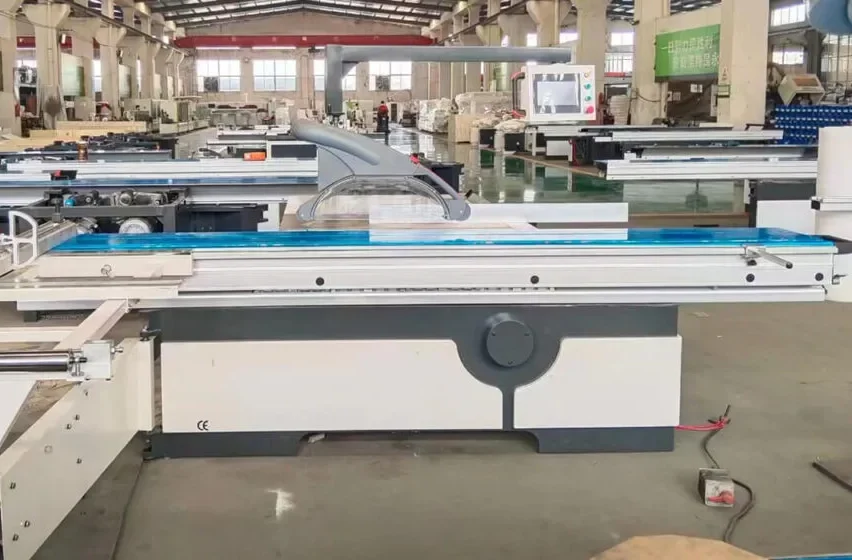

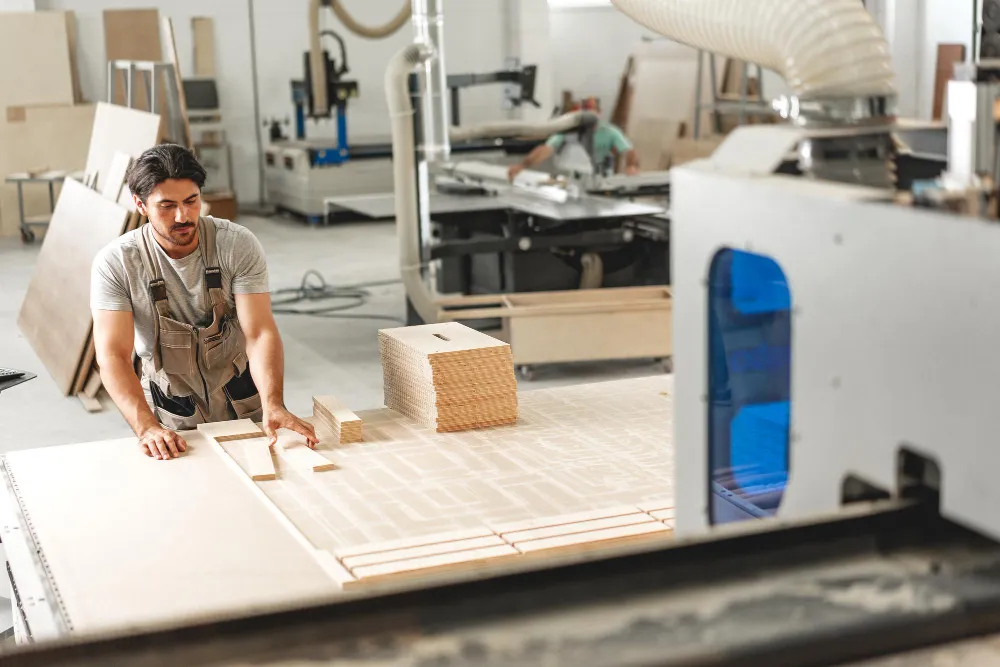
A Complete Beginner’s Guide to CNC Woodworking Mastery. For centuries, craftspeople have been enthralled with woodworking because of its capacity to turn raw lumber into useful art. This craft has seen a revolutionary development in the digital age: the incorporation of Computer Numerical Control (CNC) technology. The idea of owning and using a CNC machine can be both thrilling and daunting for the aspiring woodworker. By providing a thorough road map, this guide seeks to demystify the process and enable novices to confidently start their journey toward becoming proficient in CNC woodworking.
This article will give novices the skills and self-assurance they need to realize the enormous potential of CNC in their woodworking endeavors, from comprehending the basic elements to carrying out intricate projects. It is crucial for a novice to understand the basic components of a CNC woodworking system before delving into the creative possibilities. A CNC machine is an intricate combination of hardware and software, both of which are essential to the fabrication process.
In addition to helping with selection and troubleshooting, an understanding of these components will promote a greater appreciation for the technology. The central component of the process is the CNC machine itself. A CNC woodworking machine is essentially a motorized instrument that carves, cuts, or shapes wood according to preprogrammed instructions. These devices, which serve a variety of user needs from hobbyists to professional shops, differ greatly in size, capability, and cost. different kinds of CNC woodworking machines.
It is crucial for novices to comprehend the common types that are available. The most common are 3-axis CNC routers, which are perfect for simple 3D profiling, flat-panel cutting, and carving. With depth control, these machines can make precise cuts in a two-dimensional plane by moving along the X, Y, and Z axes. As users gain experience, they may think about using 4-axis or 5-axis CNC machines, which add rotational movements and allow for the creation of more intricate details on all sides of a workpiece as well as more complex sculpted objects. The intended projects, available budget, and desired level of complexity will all play a major role in the machine selection. Important mechanical parts.
Конечно, вот предложение с кликабельной ссылкой:
I am interested in learning more about Carving wood CNC machines, you can find them at здесь.
In addition to the general type, certain mechanical parts are essential to the operation of the machine. The gantry, which moves along the X and Y axes and supports the spindle, is an essential structural component. The motor that rotates and holds the cutting tool is called a spindle. For effective material removal and the achievement of various finishes, its power and speed capabilities are essential. The drive system converts the digital commands into actual movement for the axes using either stepper motors or servo motors.
The gantry and spindle can move smoothly and precisely thanks to the linear guides and bearings. Lastly, the workpiece is fastened to the bed, also known as the spoilboard. In order to safeguard the machine bed & offer a sturdy cutting surface, a good spoilboard is essential. From design to machine instruction, software plays a vital role.
The term “CNC” refers to Computer Numerical Control, and the “Computer” component is equally important as the “Control.”. Software translates digital designs into a language that the CNC machine can understand, serving as a link between human intention and machine execution. CAD (computer-aided design) software.
Design is the first step in a CNC project’s journey. With the use of computer-aided design (CAD) software, users can produce digital models of the wood products they want in two or three dimensions. There are many accessible and reasonably priced CAD options available for novices. While options like Fusion 360 offer a more comprehensive, integrated suite for design, simulation, and CAM, programs like SketchUp provide an easy-to-use interface for creating 3D models.
Although the learning curve for CAD can vary, any CNC woodworker must first grasp the fundamentals of modeling. It involves turning your artistic vision into a digital blueprint. Software for Computer-Aided Manufacturing (CAM).
The Computer-Aided Manufacturing (CAM) software takes over once a design is finished. This is the point at which the design is magically transformed into machine instructions. The toolpaths, cutting speeds, cut depths, and other machining parameters required to produce the intended object are determined by CAM software. In essence, it instructs the CNC machine on “how” to cut wood.
VCarve Pro, Aspire, Fusion 360 (a combination of CAD and CAM), and Estlcam are examples of popular CAM software. Effective CAM programming requires an understanding of ideas like lead-in/lead-out moves, finishing passes, roughing passes, and tool selection. The universal language of CNC machines is called G-Code. G-code is usually the output of CAM software.
This standardized programming language tells CNC machines how to move, speed, and perform other tasks. Every action the machine will take is precisely defined by a set of alphanumeric codes. Although it is not necessary for novices to write G-code from scratch, knowing its fundamental structure & the meaning of specific commands can be very beneficial for troubleshooting and developing a deeper understanding of how the machine operates. Although the majority of CAM software generates this code automatically, being familiar with it can enable users to make small changes or more efficiently comprehend error messages.
Important CNC woodworking tools & accessories. For a successful and seamless woodworking experience, a variety of auxiliary tools & accessories are essential in addition to the basic CNC machine and software. These components guarantee effective operation, correct material handling, and high-quality final products. Cutting tools are the machine’s business end. The actual tools that shape the wood are called router bits, or cutting tools.
They are available in a wide range of sizes, shapes, & materials, each appropriate for a particular use. For novices, the following should be a good place to start. Straight bits: For dadoes and clean cuts. Ball-nose bits are necessary for smooth curved surfaces and 3D carving. V-bits: Perfect for ornamental details and text engraving.
End mills (many varieties): These include spiral, compression, and flat-bottomed bits for various cutting uses. The bit’s substance (e. A g. high-speed steel or carbide) and its flute design will affect the cut’s quality, longevity, and performance. For any CNC woodworker, knowing the capabilities of various bits is essential.
Workholding Solutions: Material Security. Holding the workpiece firmly to stop it from moving during the cutting process is one of the most important aspects of CNC operation. Inaccurate workholding can result in safety risks, damaged tools, & failed projects. The following are typical workholding techniques used in CNC woodworking.
Clamps are a common & versatile tool, particularly for smaller projects. It’s crucial to use edge clamps or specialized t-track clamps that don’t block tool access. Vacuum tables: For effective and dust-free workholding, particularly when precise surface-level cuts are required or when handling larger quantities of smaller parts. Fixturing: Tailored jigs or holding devices that provide reliable & consistent holding for particular project types.
Double-sided tape is less secure for large cuts but more affordable for smaller jobs. The size & shape of the workpiece, the kind of cuts being made, & the equipment that is available will all influence the method that is selected. Dust collection is essential for both machine longevity and human health. Dust is produced in large quantities during woodworking, particularly when using CNC machines. A strong dust collection system is essential for both the longevity of the CNC machine and health and safety, in addition to being a matter of neatness.
Wood dust can obstruct delicate electronic parts in the CNC and be detrimental to respiratory systems. HEPA-filtered shop vacuums are a great place to start for smaller businesses. Dedicated Dust Collectors: More potent & effective for greater amounts of shavings and dust. Dust shoes are spindle attachments that cover the cutting area and direct dust into the collection system.
A cleaner, safer, and more enjoyable workplace will result from the early implementation of an efficient dust collection strategy. Using a CNC machine to turn an idea into a tangible wooden creation requires a planned process. Beginners can simplify the process and reduce potential hazards by comprehending & following this workflow. It’s a methodical process that guarantees the finished product is in line with the original vision.
Developing Your Project: From Concept to Sketch. Any woodworking project, whether CNC or not, starts with a distinct concept. This phase entails coming up with ideas, making sketches, and establishing the boundaries of what you want to produce. inspiration & creativity.
Determine what you want to construct first. Whether it’s a decorative sign, a piece of furniture, a custom shelf, or a complex piece of art, find inspiration in nature, pre-existing designs, or your own useful requirements. Look through social media, woodworking forums, & online galleries for inspiration.
To gain confidence, start with easier tasks without fear. Prototyping and rough sketches. Make rough sketches as soon as you have a general idea.
These don’t have to be extremely detailed, but they should communicate the general shape, size, & important aspects of your project. For more complicated concepts, think about building a basic physical prototype out of easily accessible materials like cardboard or inexpensive wood. Before spending time on digital modeling, this practical method can help you refine your concept and identify design flaws.
Digital Design in CAD: Realizing Your Idea. Here, your ideas and sketches become accurate digital models that the CNC machine can understand. Selecting CAD Software Based on Your Requirements. As previously stated, choosing the right CAD software is essential. Beginners should read this.
SketchUp: Great for 3D modeling of simpler objects, with a user-friendly interface and a free web version. Tinkercad: browser-based, very simple to learn, and ideal for very simple 3D shapes. A more sophisticated, professional-grade option that combines CAD, CAM, and CAE, Fusion 360 (free for hobbyists) has a challenging but worthwhile learning curve. The decision is based on how difficult your projects are and how much time you are willing to spend learning.
Woodworking Modeling Techniques. You’ll use a variety of modeling techniques within the CAD program of your choice. For woodworking:.
Extrusion is the process of pushing a 2D shape into a 3D form; it is frequently used for basic shapes & signs. Revolve: This technique, which is useful for furniture legs or ornamental moldings, creates forms by spinning a 2D profile around an axis. Boolean operations (Union, Subtract, Intersect): Creating more complex forms by combining or subtracting shapes. Designing with easily modifiable dimensions and constraints that enable rapid design iterations & adjustments is known as parametric modeling.
To ensure successful CAM processing, pay close attention to joint types, create precise dimensions, and make sure your model is “manifold” (watertight). File formats and things to think about when getting your design ready for CNC. Your digital model must be ready for CAM after it is finished. This entails taking into account crucial design components & storing your design in the proper file formats.
exporting in file formats that work. With CAD software, you can export your designs in a number of different file formats. These are the most popular formats for CNC woodworking. Drawing Exchange Format, or DXF, is widely used, particularly for 2D designs. It works great for cutting out outlines or shapes.
The standard for 3D models, STL (Stereolithography), is used to create toolpaths for 3D relief & carving. STEP (Standard for the Exchange of Product Data): Often chosen for intricate 3D assemblies, this more reliable format preserves more geometrical information. Make sure the selected file format can be imported by your CAM program.
Machining Design Considerations. Certain design choices directly impact the success and efficiency of the CNC machining process:. Tolerances: Make sure your cutting tools are wide enough. If you need a tight-fitting joint, you might need to design slightly larger or smaller components to accommodate the tool’s diameter.
Corner Radii: Sharp internal corners are impossible to create with a rotating router bit. You’ll need to incorporate fillets or radii in your designs where sharp corners are intended. Toolpath Accessibility: Ensure that your chosen cutting tools can physically access all areas of your design. Overhangs or internal pockets that are too small for the tool will create machining problems. Material Thickness: Design with the actual thickness of your wood in mind.
Thinking about these machining constraints during the design phase will save significant time and frustration later on. With your digital design in hand, the next critical step is to translate it into machine instructions using CAM software. This stage is where the theoretical design becomes a practical plan for cutting.
Choosing the Right CAM Software & Understanding its Interface. The world of CAM software can be daunting, but for beginners, there are accessible and powerful options. Popular CAM Software for Woodworking Beginners. VCarve Pro and Aspire (from Vectric): These are industry-standard, user-friendly options popular for woodworking.
VCarve is excellent for 2D and 2.5D work, while Aspire adds full 3D carving capabilities. They are known for their intuitive interfaces and extensive libraries. Estlcam: A more budget-friendly option that is powerful for creating toolpaths for various CNC machines.
Fusion 360: As mentioned earlier, its integrated CAD/CAM capabilities make it a very powerful all-in-one solution, though it has a steeper learning curve. The best choice depends on your budget, project complexity, & preferred learning style. Many offer free trials, allowing you to experiment. Navigating the CAM Interface: Tool Selection, Feeds, and Speeds.
Once you’ve opened your design file in the CAM software, you’ll enter an environment where you define how the machine will operate. Key elements include:. Tool Database: Most CAM software includes a database of common router bits. You’ll select the bits that match the ones you own & input their dimensions accurately.
Cutting Strategies: This involves defining the actual movements the tool will make. Common strategies include:. Profile Cuts: Cutting around the outline of a shape. This can be done inside, outside, or on the line of a vector.
Pocket Cuts: Removing material from within an enclosed area. V-Carving: Using a V-shaped bit to create tapered grooves for text & decorative elements.
3D Toolpaths: For carving complex 3D models (e. g. , roughing & finishing passes). Feeds & Speeds: This is a critical and often iterative aspect of CAM. Spindle Speed (RPM): How fast the cutting tool rotates. Feed Rate: How fast the machine moves the tool through the material.
Depth of Cut: How much material is removed with each pass. Stepover: For 3D carving, this determines the distance between parallel passes of the cutting tool, influencing the surface finish. Determining appropriate feeds and speeds is often a combination of software recommendations, material type, bit type, & machine capabilities. It’s an area where experimentation and referring to manufacturer guidelines are crucial. Generating Toolpaths: The Blueprint for the CNC Machine.
This is the core function of CAM software – creating the precise movements for the CNC machine. Understanding Different Toolpath Types.
2D Toolpaths: Used for cutting out flat shapes, engraving lines, and creating pockets. Examples include profile cuts, pocket cuts, & drilling operations.
2.5D Toolpaths: These toolpaths incorporate depth variations but are essentially a series of 2D operations stacked on top of each other.
V-carving is a prime example, where the depth of the groove changes based on the angled sides of the bit.
3D Toolpaths: These tools are used to sculpt intricate surfaces from 3D models. To gradually remove material, the router bit usually makes several “passes” in this manner. Roughing Pass: A quicker, less accurate pass that removes the majority of the material with a larger bit. Finishing Pass: A slower, more accurate pass (usually with a smaller bit) to get the right level of smoothness & surface detail. Toolpath simulation for error detection.
Any toolpath must be simulated in the CAM software before being sent to the CNC machine. You can do the following with this virtual run-through. Observe how the tool will pass through the material to visualize the cutting process.
Detect collisions: Determine whether the tool and the workpiece or fixtures could collide. Evaluate the finished product to get a sense of the accuracy and surface quality. Determine what is missing: Make sure that every area that is supposed to be cut is being cut. A comprehensive simulation can help you avoid expensive errors & material waste.
Keep a close eye out for places where toolpaths may overlap or leave uncut material. G-Code Post-Processing and Generation. Processing the created toolpaths into a format that your particular CNC machine can comprehend is the last stage in the CAM workflow. Post-processor Function. Particular G-code instructions are needed for every brand of CNC machine and controller combination.
A post-processor is a tiny piece of software that converts the CAM software’s generic toolpath data into the specific G-code dialect for your machine. Choosing your CNC controller’s appropriate post-processor (e. The g.
GRBL, Mach3, UCCNC, and Fanuc) is crucial. Incorrect movements, mistakes, or the machine not operating at all can arise from using the incorrect post-processor. G-Code File Export. You export your toolpaths as a G-code file (usually with a .
nc, .tap, or .gcode extension) after choosing the appropriate post-processor. You will then load this file into the controller of your CNC machine so that it can be executed. The next step is hands-on operation once your G-code file is prepared. This entails setting up the equipment, securing the material, and carrying out the cutting task safely. For woodworking to be both successful and safe, careful setup and careful operation are essential. Getting the CNC machine ready to run.
Prior to pressing the “run” button, a few essential steps guarantee that the machine is prepared for precise & secure cutting. Setting up the bed and workholding. Clean the Spoilboard: Make sure the spoilboard is clear of any chips, debris, or outdated adhesives that might obstruct the placement of materials or result in incorrect cuts.
Install Workholding: Safely set up the workholding technique of your choice (clamps, vacuum table, jigs). Strategically place clamps on clamped workpieces to prevent collisions with the cutting tool. Surface Leveling (Tramming): It’s crucial to make sure the spindle is precisely perpendicular to the spoilboard for extremely precise cuts, particularly those involving 3D carving. Some machines might occasionally need to have their tramming adjusted.
Setting Up the Right Collet and Router Bit. Choose the Right Bit: Verify that the bit you are going to install corresponds to the one listed in your CAM software toolpath. Use the Right Collet: Make sure the collet you choose fits the router bit’s shank diameter.
Firmly fasten the bit by first inserting it into the collet and then the collet into the spindle. Avoid overtightening the collet as this could harm both the collet and the spindle. Instead, tighten it securely. Axes of the Machine Zeroing (Work Zero Setting). In this basic step, you inform the machine of the G-code file’s origin point in relation to your workpiece. Set the machine’s X & Y coordinates to zero after jogging its spindle to a particular corner or reference point on your workpiece.
A “Set Zero” or “Zero XYZ” button is often found on CNC machines for this purpose. Set the Z Zero (Touch-off): Determining the cutting depth requires this crucial step. Using a Touch Probe: Electronic touch probes are often included with machines. Lower the spindle until the probe touches the surface of your workpiece.
The probe instructs the device to adjust the Z-axis height. Using a Touch Plate: Usually a metal plate placed on the workpiece, this method is similar to using a probe. Manual Touch-off: For simpler setups, you can manually jog the spindle down until the tip of the cutter just kisses the surface of the material or a known reference point, and then set the Z-axis to zero or the appropriate cutting depth.
Your cuts’ success is closely related to accurate zeroing. running the G-Code and keeping an eye on things. It’s time to start the cutting process after everything is ready. loading the G-Code and initiating the task. Load the File: Use a USB or network connection to send your G-code file to the CNC controller.
Launch the Program: Using the controller interface, launch the CNC program. Active surveillance & safety measures. Perhaps the most crucial section for novices is this one. A CNC machine should never be left unsupervised.
Visual Inspection: Keep an eye on the cutting procedure at all times. Keep an eye out for any strange vibrations, sounds, or toolpath deviations. Dust Collection: Verify that your dust collection system is operational and efficiently collecting dust & chips.
Keep an Eye Out for Changes: A dull bit, excessive cutting force, or possible issues can all be indicated by changes in sound. Be Ready to E-Stop: Be aware of where the emergency stop (E-Stop) button is located and ready to use it right away if something goes wrong. Wear safety glasses or a face shield at all times to protect your eyes from flying debris. Take a dust mask and hearing protection into consideration.
Stop or pause the machine right away if you see any issues so you can identify & fix them. Solving Typical Operational Problems. Even with meticulous planning, difficulties may still occur. One of the most important skills is troubleshooting effectively.
Low-quality cuts. The most frequent reason is a dull bit. Sharpen or swap out the bit. Incorrect Feeds & Speeds: Depending on the material & effect, try higher spindle speeds or slower feed rates.
Loose Workpiece: Verify that the material is held firmly. Machine vibration: Look for an uneven spoilboard, a loose part, or an unbalanced spindle. The machine is either not moving at all or is moving incorrectly.
Inaccurate G-Code File: Make sure you have loaded the right file and that the right post-processor was used to generate it. Connection Problems: Inspect the cables that connect the machine to the controller. Controller Errors: For specific error codes, refer to the handbook that comes with your machine. Axis Binding: Verify that nothing is obstructing fluid motion. The material is vibrating or moving unexpectedly.
Inadequate Workholding: Strengthen your vacuum or clamp hold. Cutting parameters that are too aggressive: lower the feed rate or depth of cut. Weak Material: If working with extremely thin or pliable wood, think about providing underneath support.
Cutting is only one step in the process. Careful post-processing and finishing are needed to turn the raw cut pieces into a polished final product. removing the workpiece and doing some preliminary cleanup.
After the CNC job is finished, the emphasis switches to removing the completed parts from the machine safely. removing components from the spoilboard. The parts may have been fastened to the spoilboard using tabs, screws, or just vacuum, depending on how they were cut and held.
Tabs: Use a chisel, a hobby knife, or a small saw to carefully cut or break any tabs you used in your CAM software to gently hold parts in place. Take care not to harm the delicate edges of your workpiece. Screws: Carefully remove any screws from the spoilboard’s underside that held your material in place. Vacuum Hold: The parts should lift off with ease if they were cut directly on a vacuum table.
first clearance of debris. To clear the cut pieces of any loose sawdust, chips, or debris, use a brush, compressed air, or a vacuum. Surface preparation and sanding. The finish of CNC-cut surfaces is frequently a little rough, especially following a roughing pass.
To get a smooth, finish-ready surface, sanding is necessary. Selecting the Correct Sandpaper Grits. Starting with a coarser grit and working your way up to finer grits is the secret to successful sanding. First Sanding: To get rid of any tool marks or fuzzies on the majority of CNC cuts, start with a grit of 100–150.
Progressive Grits: Depending on the type of wood and the desired final finish, work your way through grits like 180, 220, 320, and even finer (400+). Orbital Sanders & Detail Sanders: An orbital sander can greatly expedite the process for larger flat surfaces. Hand sanding or the use of a detail sander is required for fine details & edges. Getting a Smooth Finish. Sand with the Grain: To prevent obvious scratches, always sand in the direction of the wood grain.
Dust Between Grits: Wipe the workpiece well to get rid of dust after each sanding grit. Take a close look at the surface. Think About Easing Edges: To keep sharp edges from chipping & enhance their feel, lightly sand them. Finishing Methods for Improved Sturdiness & Appearance.
The wood is safeguarded & its inherent beauty is enhanced during the last finishing step. applying paints, varnishes, and oils as finishes. Wood Oils: While offering some protection, penetrating oils like Danish or Tung oil improve the wood’s inherent appearance and feel. They are reasonably simple to use & maintain. Lacquers and varnishes: These produce a protective layer on the surface that is more resilient to moisture and durability.
They can be applied by wiping, spraying, or brushing. Paints and Stains: Wood can be painted or stained to achieve any desired color or hue for an entirely different look. Make sure the surface is ready for paint adhesion. Important Finishing Considerations.
Test on Scrap: Always test a finish on a scrap piece first if you’re not sure how it will look or behave on a specific species of wood. Application Environment: Use finishes in a well-ventilated space that is free of dust and extremely hot or cold temperatures. Several Coats: For best protection and appearance, most finishes need several thin coats. In between coats, allow enough time for drying.
Clean Up: To clean application tools, refer to the manufacturer’s instructions. Beginners can confidently transform their CNC-generated components into beautifully finished, long-lasting, and aesthetically pleasing woodworking projects by carefully following these steps, marking a significant milestone in their mastery of CNC woodworking.
.

CNC woodworking refers to the process of using computer numerical control (CNC) machines to automate and control the cutting, carving, and shaping of wood. This technology allows for precise and intricate woodworking designs to be created with ease.
Using CNC machines for woodworking offers several benefits, including increased precision, efficiency, and repeatability. CNC machines also allow for the creation of complex and intricate designs that may be difficult to achieve with traditional woodworking tools.
CNC machines can be used to create a wide range of woodworking projects, including furniture, cabinetry, decorative items, and architectural elements. Additionally, CNC machines can be used for carving, engraving, and cutting wood for various applications.
While CNC woodworking offers many advantages, there are also some limitations to consider. CNC machines can be expensive to purchase and maintain, and they require a certain level of technical expertise to operate effectively. Additionally, some woodworking purists may argue that CNC machines lack the craftsmanship and artistry of traditional woodworking techniques.
Some popular CNC woodworking software programs include Vectric Aspire, Autodesk Fusion 360, and VCarve Pro. These programs allow woodworkers to design, simulate, and generate toolpaths for their CNC projects, providing a seamless transition from concept to finished product.


 English English
 العربية
 Bahasa Indonesia
 ไทย
ไทย Deutsch
 Русский
 Español
 Nederlands
 Italiano
 Tiếng Việt
 Português do Brasil
 Français
 Dansk
Dansk Xhosa
Xhosa 日本語
日本語 香港中文
香港中文
